Financial Statement Presentation under PSAK 118
Tag account categories once. Your Profit & Loss and Cash Flow then appear in the five PSAK 118 categories, each with its own subtotal.
Available on all Kledo plans. Try it before PSAK 118 takes effect on 1 January 2027.
Built on IAI’s latest standard for presenting financial statements.
PSAK 118 Changes How Profit & Loss Is Presented
PSAK 118 Presentation and Disclosure in Financial Statements is based on IFRS 18 and replaces PSAK 201 starting 1 January 2027. Income and expenses are now grouped into five categories, each with its own subtotal. Rearranging the report by hand eats into your accountant team’s time.
Rearranging by hand
- ✕Move each account to its new category, one by one
- ✕Recalculate every subtotal in a spreadsheet
- ✕Repeat it every period, with plenty of room for errors
With Kledo
- ✓Tag each account’s category once
- ✓Profit & Loss and Cash Flow arrange themselves by category
- ✓Subtotals calculate automatically from your transactions
- ✓The Standard layout stays available, so you can compare anytime
Five Categories, Each with Its Own Subtotal
-
Operating
Income and expenses from the main business activities.
SubtotalOperating profit (loss) -
Investing
For example, interest and dividend income.
SubtotalProfit (loss) before financing and income taxes -
Financing
For example, interest expense on loans.
SubtotalProfit (loss) before income taxes -
Income taxes
Income tax expense for the current period.
SubtotalProfit (loss) from continuing operations -
Discontinued operations
Results from discontinued parts of the business.
SubtotalProfit (loss)
Get PSAK 118 Ready in 3 Steps
No need to create new reports. Set account categories once, then choose the PSAK 118 layout in your reports.
Tag account categories
On the account form, choose a PSAK 118 Category: Operating, Investing, Financing, Income taxes, or Discontinued operations. Revenue, cost of sales, and expense accounts are automatically presented under Operating; accounts left without a category are treated as Operating.
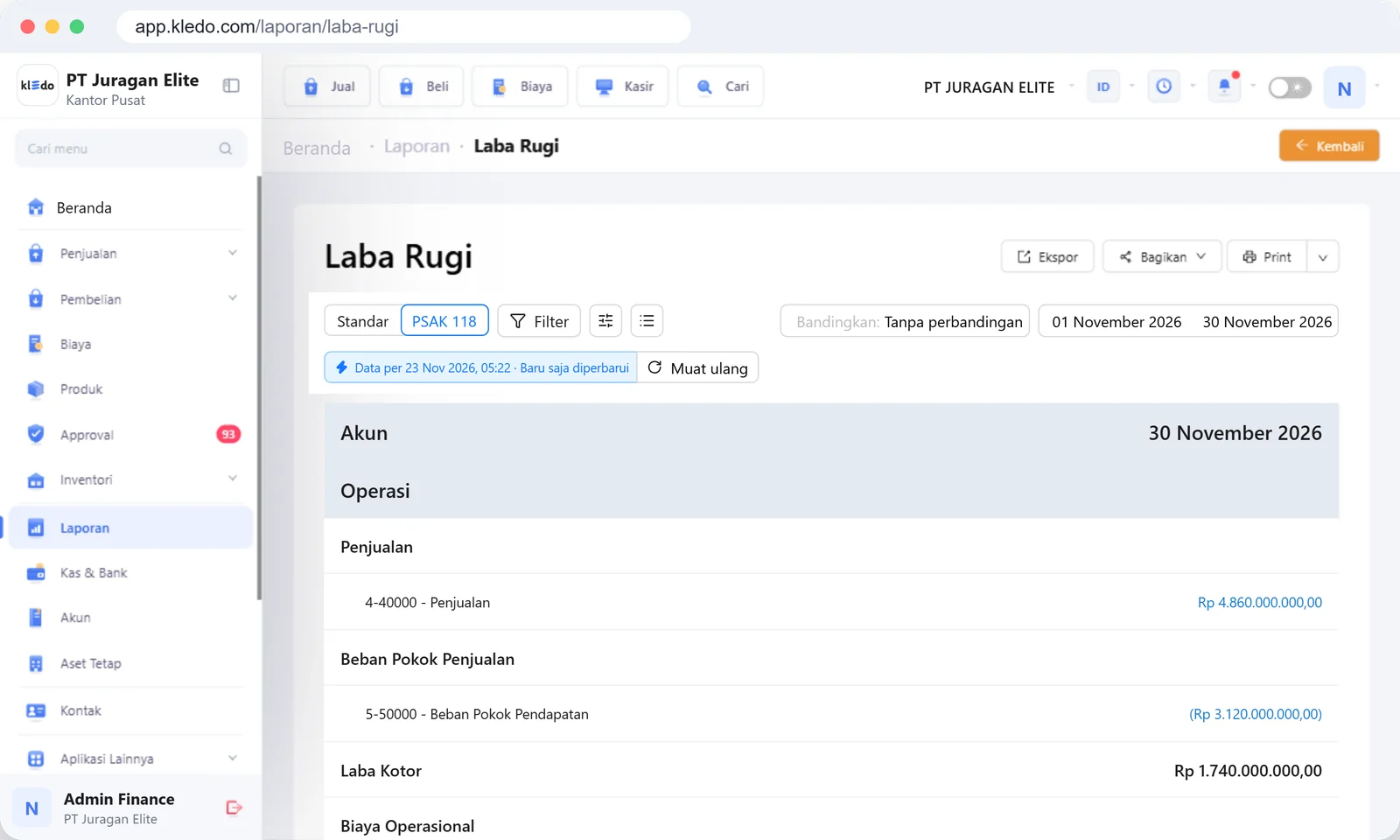
Choose the PSAK 118 layout in Profit & Loss
Click PSAK 118 in the Layout control. The report is instantly arranged by category, complete with subtotals.
View Cash Flow in the same layout
Cash Flow follows the PSAK 118 structure too, for both the direct and indirect methods.
PSAK 118 Profit & Loss Neatly Arranged, from Operating Profit to the Bottom Line
Figures are calculated automatically from your transactions, without re-entering anything.
-
Operating
Revenue, Cost of Sales, Gross Profit, Expenses, Other operating income, Other operating expenses
SubtotalOperating profit (loss)Rp 1,286,000,000 -
Investing
Investing income and expenses
SubtotalProfit (loss) before financing and income taxesRp 1,340,800,000 -
Financing
Financing income and expenses
SubtotalProfit (loss) before income taxesRp 1,262,800,000 -
Income taxes
Income tax expense
SubtotalProfit (loss) from continuing operationsRp 985,000,000 -
Discontinued operations
Results of discontinued operations
SubtotalProfit (loss)Rp 985,000,000
Everything You Need for PSAK 118 Reporting
Five-category Profit & Loss
One click to switch to the PSAK 118 layout, complete with subtotals for each category.
Drill down to transactions
Click any amount in Cash Flow to see the account transactions behind it, without leaving the PSAK 118 layout.
Category per account
Set the PSAK 118 Category right on the account form. Sub-accounts automatically follow their parent account’s category.
- Operating
- Investing
- Financing
- Income taxes
- Discontinued operations
Works with account import
The PSAK 118 Category column appears in the chart of accounts import preview.
Standard layout still available
Switch between the Standard and PSAK 118 layouts anytime, without changing your data.
PSAK 118 Cash Flow
Investment income and financing expenses appear on their own lines, for both the direct and indirect methods.
 Halo, ada yang bisa saya bantu?